
2025
Rethink Information Architecture of connected vehicles
Remember when cars were simply... cars?
- Role
- Design Technical Lead
- Team
- 3 POs, 1 solution architect · ~50-person team
- Platform
- B2B SaaS backoffice
- Outcome
- 5–6 → 2–3 configuration steps · zero incompatible settings
01 · Brief
What is OTA?
Remember when cars were simply... cars? Today, the vehicle parked in your garage has more in common with your smartphone than with automobiles from twenty years ago. It has become a digital platform on wheels with dozens of onboard computers controlling everything from braking to seat temperature.
I had the chance to work on redesigning the data model architecture for an OTA vehicle update backoffice system. The project addressed critical scalability issues caused by rapid platform growth and increasing configuration complexity.
OTA (Over-The-Air) refers to the wireless delivery of software updates to vehicles, similar to how smartphones receive updates. Modern vehicles are essentially computers on wheels, containing dozens of electronic control units (ECUs) that manage everything from infotainment systems to safety features. OTA technology allows manufacturers to:
- Fix bugs and security vulnerabilities remotely
- Add new features after purchase
- Improve performance without requiring a dealership visit
- Manage different software versions across their vehicle fleet
Behind every OTA system is a backoffice: a complex management platform where engineers and product teams configure which updates go to which vehicles, manage compatibility, and control the entire update lifecycle.
The Challenge
The backoffice managed configurations for vehicle OTA updates through several interconnected elements. Think of it as a complex product catalog system where you need to match the right software with the right hardware in the right vehicle under the right conditions.
02 · Process
System Components
The system tracked these key elements:
Vehicle Architectures: The fundamental electronic platform of a vehicle (like different generations of iPhone hardware - iPhone 12, 13, 14, etc.). Each architecture defines what electronic components and capabilities a vehicle has.
Workflow Classes: Different operational processes for managing vehicles (production vehicles vs. prototype test vehicles require different update strategies).
Vehicle Models: Specific vehicle configurations that customers can purchase (like "Model S Performance" or "Model 3 Standard Range").
Domains: Three separate development environments where vehicles could be registered:
- Integration/Internal: Primary development environment for testing
- Preproduction: Staging environment before final release
- Production: Live environment for customer vehicles
Device Models: Individual hardware components inside vehicles (infotainment screen, radar sensor, battery controller, etc.). Each can receive software updates.
OTA Components: The actual software packages, firmware updates, or configuration files that get sent to devices.
Core Problems
Scalability Crisis: With new vehicle architectures released every 6 months, the system became increasingly fragmented. Users faced growing lists of elements in every configuration section, making the interface overwhelming.
Configuration Complexity: Multiple independent selection steps created opportunities for incompatible combinations and configuration errors. Users had to navigate 5-6 separate configuration steps, each with validation dependencies that weren't immediately clear.
Hidden Dependencies: Some elements were technically subordinate to others due to shared enabling technologies, but this hierarchy wasn't reflected in the interface structure.
03 · What changed
Step 1: Incorporating Workflow Classes
Action: Integrated Workflow Classes as properties of Vehicle Architectures rather than separate entities.
Impact: Reduced one configuration layer and eliminated incompatible Architecture-Workflow combinations.
Step 2: Integrating Domains
Action: Embedded Domains (Production, Preproduction, Integration) within Vehicle Architectures.
Rationale: Development environments were created in sync with new architectures every 6 months—it made sense to manage them together.
Impact: Further simplified the user flow and ensured environment-architecture consistency.
Step 3: Introducing Device Families
The Key Insight: Different device types had vastly different technical capabilities but shared the same generic configuration interface. Imagine trying to configure a smartphone screen, a battery management system, and a parking sensor using the same form—most fields would be irrelevant for each device.
Action: Created "Device Family" as a super-cluster grouping Device Models by their enabling technologies and capabilities. Devices with similar technical characteristics were grouped together.
Interface Impact: The UI now dynamically showed or hid entire configuration sections based on the selected Device Family's capabilities. When configuring an infotainment system, you'd only see display and audio settings. When configuring a radar sensor, you'd only see sensor-specific parameters.
Results:
- Simplified UI with contextual configurations
- Eliminated pain points from irrelevant fields
- Reduced configuration time
- Zero configuration errors from incompatible settings
Step 4: Modular Architecture
This final step transformed the entire system philosophy from a rigid hierarchy to a flexible, composable system—think of moving from a fixed menu to a modular LEGO approach.
Two Major Shifts:
Extracted OTA Components: Previously, software components were locked inside Device Model configurations (like apps permanently bundled with a phone model). We made them independent entities that could be associated with multiple Device Models (like apps you can install on different phone models). Benefits:
- Reusability: One software component can work on multiple compatible devices
- Parallel work: Different team members can configure software and hardware simultaneously
- Easier updates: Change one component without touching entire device configurations
- Example: A Bluetooth firmware update component can now be associated with all devices that have Bluetooth, rather than being reconfigured for each device individually
Inverted the Vehicle Model Paradigm:
- Before (Bottom-up): Each device declared "I work on these vehicle models"
- After (Top-down): Each vehicle model declares "I'm composed of these devices"
This shift aligned with how vehicles are actually designed—you start with the vehicle concept and define what components it needs, not the other way around. It's like creating a recipe (vehicle) that lists required ingredients (devices) rather than having each ingredient list what recipes it could be in.
Final Architecture: Modular System
Key Principles:
- Separation of Concerns: Each entity has a single, clear responsibility
- Loose Coupling: Independent components connected through configurable associations
- Composability: Complex configurations built from simple, reusable building blocks
- Parallel Workflows: Multiple users can configure different elements simultaneously
Before and After
Before the refactoring:
- 5-6 independent configuration steps with hidden dependencies between them
- No validation layer — operators could create incompatible combinations without any warning
- Every new vehicle architecture added complexity to every configuration screen
- Configuration errors were discovered only during deployment, causing costly rollbacks
- Interface became increasingly overwhelming as the platform scaled
After the refactoring:
- Configuration steps reduced to 2-3, with contextual interfaces adapting to each device family
- Design guardrails introduced at every step, making incompatible configurations impossible — reducing configuration errors to zero
- New vehicle architectures can be onboarded without degrading the existing interface
- Teams can work in parallel on different configuration components
- The system scales with the platform instead of against it
The most significant outcome wasn't just the reduction in steps or the cleaner interface — it was the endless scalability and the introduction of design guardrails that eliminated the possibility of configuration errors entirely. In a system where a wrong configuration could affect thousands of vehicles, making mistakes structurally impossible was more valuable than making them easy to fix.
04 · Outcome
Impact
- Configuration steps2–3From 5–6, with built-in validation
- Errors from incompatible settings0Design guardrails at every step
Reduced Complexity: From 5-6 configuration steps to 2-3, with built-in validation preventing incompatible combinations.
Improved Scalability: The system can now accommodate unlimited new architectures and device types without interface degradation.
Enhanced Collaboration: Teams can work in parallel on different configuration components, then assemble them as needed.
Better User Experience: Contextual interfaces show only relevant options, eliminating cognitive overload and configuration errors.
05 · Reflection
Key Takeaways
Architecture as a Design Problem: Complex data models aren't just backend concerns—they directly impact user experience and system usability.
Incremental Evolution: The 4-step transformation allowed for gradual migration and validation, reducing risk compared to a complete redesign.
Technology-Driven Information Architecture: Understanding the underlying technical relationships (like enabling technologies) was crucial to creating logical groupings that made sense to users.
Inversion Can Simplify: Reversing the relationship direction between Vehicle Models and Device Models aligned the system with users' mental models of how vehicles are composed.
NoteThis case study is based on a real project, but specific details have been generalized to protect confidential information.
More cases
Learn more.

SaaS solution to manage OTA operations on vehicle fleet
Design a SaaS solution to allow the convergence of 2 different legacy production chains.
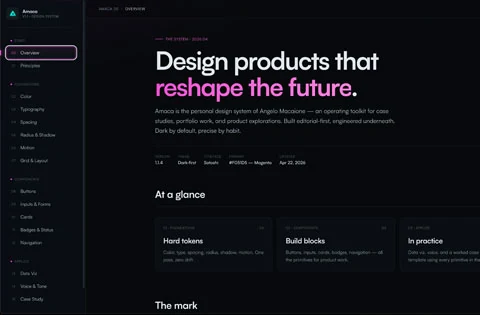
The system I couldn't build until AI let me
This is the story of how I designed, built and published Amaca Design System with Claude, after years of waiting for the right tool.

Atomic Motion: How I adapted Atomic Design in After Effects
In the fast-paced landscape of television production, where tight deadlines collide with growing visual complexity, finding methodologies that optimize the creative process becomes fundamental.