
2023–2025 · 3 years
Designing the design process: managing growing complexity
The Figma ecosystem I built over three years on a complex SaaS platform.
- Role
- Design Technical Lead
- Team
- ~50 people over 3 years
- Platform
- Figma ecosystem for a complex SaaS
- Outcome
- 315 components · 40+ hours saved per sprint
01 · Brief
The Problem
Tools and features evolve fast, but the principles behind how you organize design work at scale don't. This article shares the system I built over three years — the specific setup may change, but the thinking behind it applies to any complex product environment.
When you're working on a complex system like a SaaS platform managing operations on vehicle fleets, organizing design files becomes a challenge as important as the design itself.
Working in agile, we were facing a familiar problem: requirements arrive in pieces, many are updates to existing features, and you need to maintain the big picture while working on the details. How do you organize your Figma files when you have dozens of screens, hundreds of components, and a team working simultaneously on different parts of the product?
The trigger was practical: Figma was throwing memory errors on our files. I started investigating where the bottlenecks were, testing memory efficiency across individual pages and files. What I found led me to rethink not just how we stored our work, but the entire design workflow.
02 · Process
The solution: a structured but flexible ecosystem
After different tests and several iterations, I designed a system composed of six interconnected elements working in synergy.
Design System
The foundation. Abstract, reusable components — the building blocks everything else is built from. The Design System feeds directly into both PageMaster and the Design Files, ensuring consistency across the entire ecosystem.
PageMaster: our complete product map
The real heart of the system. Named after the '90s movie, this file contains every single page of our software, giving us a complete view of the product in one place.
But PageMaster does much more than archive screens. It contains a dedicated section where we document every component in its specific usage context.
Here's how it works: we take a base component from the Design System — say, a dropdown — and create a contextualized instance in PageMaster. If that dropdown is used to select a device model, we configure it exactly like that, complete with the associated menu options, the tooltip explaining what that field does, and any particular behaviors or states for that context.
This gives us the best of both worlds: base components stay abstract and reusable in the Design System, while PageMaster documents exactly how each component is used in specific contexts. For developers, this is gold — they can see not just the component, but exactly how it should behave in every specific implementation.
Critically, PageMaster follows the same hierarchy as the software's navigation. Pages are organized by macro-areas and features, mirroring exactly the structure of the application's sidebar. If you know where a feature lives in the software, you know exactly where to find it in PageMaster.
Navigation Tree
A dedicated file derived from PageMaster that maps the full navigation structure of the software. This serves as a shared reference for the entire team — designers, developers, and product owners alike — ensuring everyone has the same mental model of how the product is organized. When the product grows and new sections are added, the Navigation Tree is updated first, and the rest of the ecosystem follows.
03 · What changed
Design Files (feature-based, organized by PI)
Active design happens in files organized by Program Increment (PI). Each file — Design 23PI1, 23PI2, 24PI1, and so on — contains the features we're working on in that period.
This temporal organization lets us focus on current priorities, explore and iterate freely without affecting consolidated work, and maintain a clear view of what we're designing in the current PI. This is where most exploration and innovation happens.
When working on an existing feature, we pull the relevant pages from PageMaster into the current PI file as a starting point. For entirely new functionality, we start with a clean canvas. Once a feature is validated by product owners and stakeholders, it's frozen in the design file and ready for handoff.
Dev Handoff Files (sprint-based)
When a feature is ready for implementation, it moves to a separate file organized by sprint. Each Design PI file has a corresponding Dev Handoff file — Design 23PI1 feeds into Dev Handoff 23PI1, and so on.
This file becomes our contract with the development team: what's here is what gets built. Organizing by sprint rather than by feature gives us clear documentation of what was released in each iteration, easy review and verification of implementation, and a chronological history of design decisions over time.
This separation between exploration space (PI design files) and definition space (sprint handoff files) solves one of the classic problems of design in agile: balancing creative freedom with the need for precise specifications.
After each release, the cycle closes: PageMaster is updated with the shipped version, keeping the product map always current.
Biweekly Presentations
Every two weeks, we produce stakeholder presentations drawn from the current design files. These serve as a regular rhythm of visibility — showing product owners, project managers, and leadership what's being designed, what's been validated, and what's coming next. Having a dedicated presentation output forced us to keep our design files clean and presentable at all times, which had a positive side effect on overall file quality.
04 · Outcome
What this system achieved
- Design system components315Built from scratch
- Hours saved per sprint40+Figma variables and component variants
- Organizational clarity: Everyone knows where to find things — no more searching through sprawling files
- Exploration freedom: Designers can experiment without compromising consolidated work
- Contextual documentation: Components are documented in their real usage context, not just in abstract
- Better dev communication: Developers have a clear, unambiguous view of what to implement
- Scalability: The system proved effective even as complexity grew over three years and across multiple PIs
- Performance: Figma memory errors disappeared — the problem that started the whole initiative
- Stakeholder alignment: Biweekly presentations kept everyone in sync without requiring people to dig into design files
05 · Reflection
What I learned
Separate exploration from definition. Having dedicated spaces for creative exploration (PI design files) and definitive specs (sprint handoff files) is essential for balancing creativity with precision.
Contextualize your components. Going beyond a traditional design system to document how components are used in specific contexts drastically improves communication with developers.
Never lose the big picture. PageMaster ensured we never lost sight of the product as a whole, even while deep in individual features.
Organize by time, not just by function. PI and sprint-based organization proved more effective than purely functional division, especially in a scaled agile context.
Make your work visible by default. The biweekly presentation rhythm forced discipline in how we maintained our files and kept stakeholders engaged without ad-hoc update requests.
Solve the boring problems first. This whole system started because Figma was crashing. The most impactful design work isn't always about interfaces — sometimes it's about the infrastructure that lets your team do their best work.
NoteThis article is based on a real project, but specific details have been generalized to protect confidential information.
More cases
Learn more.

SaaS solution to manage OTA operations on vehicle fleet
Design a SaaS solution to allow the convergence of 2 different legacy production chains.

Rethink Information Architecture of connected vehicles
Remember when cars were simply... cars?
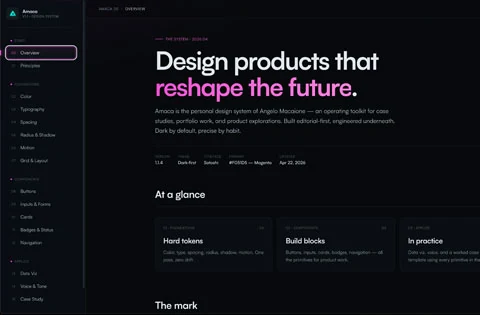
The system I couldn't build until AI let me
This is the story of how I designed, built and published Amaca Design System with Claude, after years of waiting for the right tool.